

Bottlenecks in daily operations can slow even the most ambitious teams, making every manual task feel like a barrier to progress. For AI-focused project managers in small to medium enterprises, the push for process automation is not just about reducing repetitive work, but about building resilient systems that scale. This guide outlines the step-by-step strategies behind automation readiness assessment and intelligent tool selection, helping you transform workflow inefficiencies into sustainable, automated solutions.
Table of Contents
- Step 1: Assess Current Processes for Automation Readiness
- Step 2: Select Appropriate AI Automation Tools
- Step 3: Design Custom Workflow Logic and Integration
- Step 4: Configure Automation Rules and Triggers
- Step 5: Test and Validate Automated Workflow
- Step 6: Monitor Performance and Optimize Results
Quick Summary
| Key Insight | Explanation |
|---|---|
| 1. Assess Automation Readiness | Evaluate current processes to identify suitable candidates for automation based on factors like complexity and manual effort. |
| 2. Select Suitable AI Tools | Choose AI automation tools that fit your organizational needs and technology stack, emphasizing compatibility and scalability. |
| 3. Design Effective Workflows | Create custom workflows that map processes and incorporate automation logic, ensuring alignment with strategic goals. |
| 4. Implement Automation Rules | Define precise automation rules and triggers to enhance operational efficiency while managing risks effectively. |
| 5. Continuous Performance Monitoring | Establish metrics to track and analyze performance, enabling ongoing optimization and improvements in automated workflows. |
Step 1: Assess Current Processes for Automation Readiness
In this critical initial phase of process automation workflow, you’ll systematically evaluate your current operational landscape to determine which processes are prime candidates for intelligent automation. The goal is to identify bottlenecks, manual tasks, and inefficient workflows that can be transformed through strategic technological intervention.
To conduct a comprehensive process assessment, follow these strategic steps:
- Map existing workflows meticulously, documenting every task and interaction
- Quantify time and resources currently invested in manual processes
- Identify repetitive tasks that follow predictable patterns
- Evaluate process complexity and potential automation compatibility
Critical to successful assessment is understanding which processes represent optimal automation opportunities. Scaling automation requires strategic process selection that focuses on high-impact, repetitive operational tasks. Hospitals and complex operational environments demonstrate that dedicated automation teams with both technical and process expertise can dramatically improve workflow restructuring.
When evaluating processes, prioritize those characterized by:
Here’s a comparison of common process types and their suitability for automation:
| Process Type | Automation Suitability | Typical Challenges |
|---|---|---|
| Data Entry | Very High | Data quality, input errors |
| Invoice Processing | High | Document format variations |
| Customer Onboarding | Moderate | Compliance requirements |
| Incident Reporting | Moderate | Subjective details needed |
| Strategic Planning | Low | Complex, variable decisions |
- High volume of repetitive tasks
- Standardized procedural steps
- Minimal subjective decision-making requirements
- Clear input and output parameters
Successful process automation begins with ruthless, objective assessment of current operational inefficiencies.
Pro tip: Create a detailed spreadsheet tracking each process’s automation potential, scoring them based on complexity, time savings, and potential return on investment.
Step 2: Select Appropriate AI Automation Tools
In this crucial stage of your process automation journey, you’ll strategically identify and evaluate AI automation tools that align perfectly with your organizational needs, technological infrastructure, and performance objectives. The right tools can transform complex workflows into streamlined, intelligent systems that drive operational efficiency.
When selecting AI automation tools, consider these critical evaluation criteria:
- Compatibility with existing technological ecosystems
- Scalability to accommodate future business growth
- Integration capabilities across different platforms
- Cost-effectiveness and potential return on investment
AI tool selection requires careful risk-based assessment that prioritizes reliability, interoperability, and alignment with organizational governance frameworks. Organizations must critically analyze tools based on their specific operational requirements, data confidentiality needs, and long-term strategic goals.
Key steps in selecting the right AI automation tools include:
- Conduct comprehensive vendor research
- Request detailed demonstration and trial periods
- Assess tool performance against specific use cases
- Evaluate technical support and training resources
- Analyze total cost of ownership
Successful AI automation tool selection is not about finding the most advanced technology, but the most appropriate solution for your unique organizational context.
You’ll want to compare multiple platforms, examining their strengths, limitations, and potential impact on your existing workflows. Look for tools that offer:
- Robust security protocols
- Seamless system integration
- Customizable automation workflows
- Transparent pricing models
- Comprehensive technical documentation
Pro tip: Create a detailed scoring matrix comparing potential AI automation tools, weighing each platform against your specific organizational requirements and strategic objectives.
Step 3: Design Custom Workflow Logic and Integration
In this pivotal stage, you’ll transform your automation strategy into a meticulously crafted workflow design that precisely maps your organizational processes and technological requirements. The goal is to create a flexible, intelligent automation framework that seamlessly connects individual tasks, systems, and strategic objectives.

Successful workflow design requires a structured approach. Logic models help visualize workflow components by systematically linking inputs, activities, and anticipated outcomes. This approach ensures each automation step is intentionally connected and aligned with your broader organizational goals.
Key elements of effective workflow logic design include:
- Mapping existing process interactions
- Identifying potential automation trigger points
- Defining clear input and output parameters
- Establishing decision-making logic and rules
- Creating fallback and error-handling mechanisms
To build a comprehensive workflow integration strategy, follow these critical steps:
- Conduct comprehensive stakeholder consultations
- Document current process dependencies
- Develop detailed workflow interaction diagrams
- Define specific automation rules and conditions
- Create contingency protocols for unexpected scenarios
Successful workflow design transforms complex processes into streamlined, predictable automation sequences.
When designing your custom workflow, pay special attention to:
- Scalability of integration points
- Flexibility for future process modifications
- Compliance with existing system constraints
- Performance optimization opportunities
- Data security and privacy considerations
Workflow Integration Principles:
- Minimize manual intervention
- Maximize system interoperability
- Prioritize transparent process tracking
- Ensure robust error reporting
- Build adaptable automation architectures
Pro tip: Create a visual workflow blueprint using collaborative diagramming tools, allowing stakeholders to provide real-time feedback and validate the proposed automation logic.
Step 4: Configure Automation Rules and Triggers
In this critical stage, you’ll define the precise mechanics of your automation workflow by establishing intelligent rules and triggers that transform manual processes into dynamic, self-executing systems. Your goal is to create a sophisticated framework that responds automatically to specific conditions while maintaining robust control and predictability.
Automation rules balance operational efficiency with risk management by defining exact parameters for automated actions and continuous performance monitoring. This approach ensures your workflow triggers are both powerful and responsible.
Key components of effective automation rule configuration include:
- Identifying specific workflow trigger events
- Defining precise execution conditions
- Establishing decision-making logic
- Creating comprehensive error-handling protocols
- Implementing performance monitoring mechanisms
To develop robust automation rules, follow these strategic steps:
- Map all potential workflow scenarios
- Define explicit trigger conditions
- Create hierarchical decision trees
- Develop comprehensive exception handling
- Implement real-time performance tracking
Effective automation rules transform complex processes into predictable, intelligent workflows.
When configuring your automation triggers, concentrate on:
- Granular condition specifications
- Minimal false-positive scenarios
- Transparent decision-making logic
- Adaptive response mechanisms
- Comprehensive audit trail capabilities
Automation Rule Design Principles:
- Prioritize precision over complexity
- Ensure transparent rule execution
- Build redundant verification mechanisms
- Support continuous rule refinement
- Maintain flexible configuration options
Pro tip: Test automation rules in controlled environments using simulated scenarios, systematically refining triggers to minimize unintended consequences and optimize performance.
Step 5: Test and Validate Automated Workflow
In this crucial validation phase, you’ll systematically verify your automation workflow’s performance, reliability, and effectiveness across diverse scenarios. The objective is to ensure your automated system operates precisely as designed, identifying and resolving potential issues before full-scale deployment.
Comprehensive testing validates workflow reliability and performance through continuous integration and delivery pipelines that automatically assess functional correctness, integration compatibility, and potential security vulnerabilities.
Key testing and validation strategies include:
- Executing comprehensive functional tests
- Simulating complex operational scenarios
- Verifying integration compatibility
- Assessing performance under stress conditions
- Documenting test outcomes and insights
To systematically validate your automated workflow, implement these strategic testing steps:
- Develop detailed test scenarios
- Create controlled test environments
- Run comprehensive functional tests
- Perform integration validation
- Conduct security and performance assessments
Rigorous testing transforms potential workflow vulnerabilities into opportunities for refinement and optimization.
Critical validation focus areas:
- Accuracy of automated decision-making
- Consistency of workflow execution
- Error handling and recovery mechanisms
- Performance under varying conditions
- Scalability and adaptability
Workflow Validation Principles:
- Prioritize comprehensive test coverage
- Design realistic test scenarios
- Establish clear performance benchmarks
- Maintain detailed testing documentation
- Support continuous improvement processes
Pro tip: Implement automated testing frameworks that enable continuous, repeatable validation, allowing you to quickly identify and address potential workflow inconsistencies.
Step 6: Monitor Performance and Optimize Results
In this final stage of your process automation workflow, you’ll establish a systematic approach to tracking, analyzing, and continuously improving your automated system’s performance. The goal is to transform raw operational data into actionable insights that drive ongoing efficiency and strategic refinement.
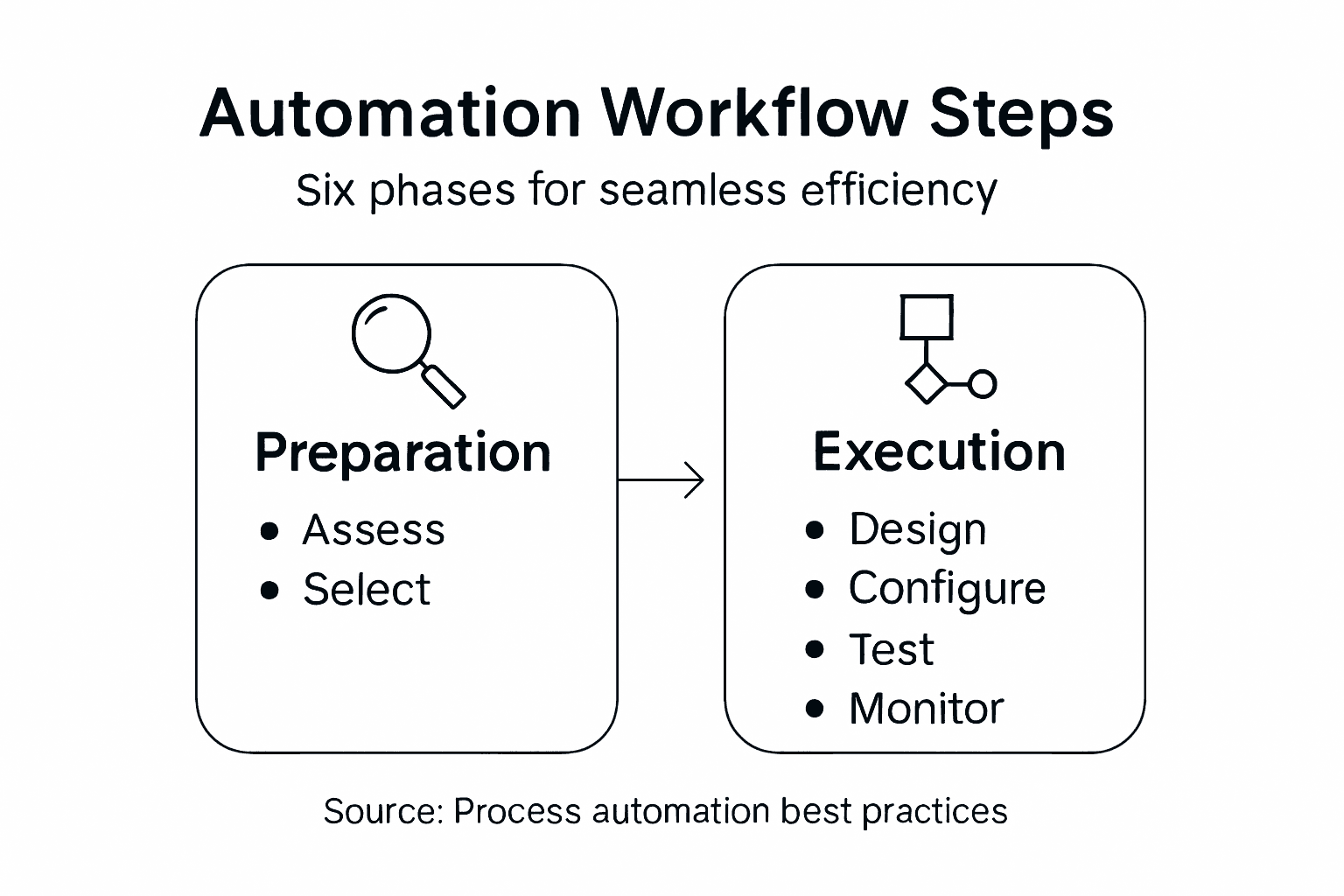
Continuous monitoring enables performance management by collecting and analyzing data that supports critical decision-making processes, highlighting areas for improvement, and ensuring optimal resource utilization.
Key performance monitoring strategies include:
- Tracking key performance indicators (KPIs)
- Identifying potential bottlenecks
- Analyzing system efficiency metrics
- Comparing actual versus expected outcomes
- Documenting performance trends
To effectively monitor and optimize your automated workflow, implement these strategic steps:
- Establish comprehensive performance metrics
- Set up real-time monitoring dashboards
- Conduct periodic performance reviews
- Develop iterative improvement protocols
- Create feedback and adjustment mechanisms
Performance optimization is a continuous journey of incremental improvements and strategic adaptations.
Critical monitoring and optimization focus areas:
- Workflow execution time
- Error rates and resolution speed
- Resource utilization efficiency
- Cost savings and productivity gains
- Scalability and system adaptability
Performance Optimization Principles:
- Embrace data-driven decision-making
- Prioritize continuous improvement
- Maintain flexible optimization strategies
- Encourage cross-functional collaboration
- Support iterative system refinement
Pro tip: Implement automated reporting tools that generate comprehensive performance insights, enabling quick identification of optimization opportunities and supporting proactive system management.
This summary outlines each automation phase and its core objective:
| Phase | Key Objective |
|---|---|
| Process Assessment | Identify top automation candidates |
| AI Tool Selection | Match tools to business needs |
| Workflow Logic Design | Map and standardize integrations |
| Rule and Trigger Configuration | Enable intelligent automation flows |
| Testing and Validation | Ensure reliability and performance |
| Performance Monitoring and Optimization | Achieve continuous improvement |
Unlock Seamless Efficiency with Tailored AI Automation Solutions
Implementing process automation workflows involves assessing complex operational challenges like identifying high-value tasks, designing precise workflow logic, and continuously optimizing performance. If you struggle with repetitive manual processes, unclear integration points, or risk managing automation triggers, you are not alone. Many organizations face these exact pain points while aiming for intelligent, scalable automation that delivers measurable results.
At Airitual, we specialize in partnering with businesses, educational institutions, and government agencies to customize AI-driven automation workflows aligned with your unique goals. Our Classes | Artificial Intelligence offerings empower your team to master workflow logic design and automation rules, while our comprehensive Webinars | Artificial Intelligence provide insights on tool selection and performance optimization. Don’t wait to transform bottlenecks into streamlined processes. Visit Airitual now to schedule your free strategy session and start your journey to smart automation today.
Frequently Asked Questions
What are the first steps to assess processes for automation readiness?
Start by mapping your existing workflows, documenting every task and interaction. Next, quantify the time and resources currently invested in manual processes to identify bottlenecks and repetitive tasks suitable for automation.
How do I choose the right AI automation tools for my organization?
Focus on compatibility with your existing technology, scalability for future growth, and integration capabilities across platforms. Evaluate multiple options through detailed demonstrations and trials to ensure they meet your specific operational requirements.
What key elements should be included in my workflow logic design?
Include accurate mapping of existing process interactions, clear input and output parameters, and decision-making logic. Create a visual workflow blueprint to aid stakeholder feedback and ensure every automation step aligns with your organizational goals.
How can I test and validate my automated workflow effectively?
Conduct comprehensive functional tests and simulate complex operational scenarios to verify your automated system’s reliability. Ensure to document all test outcomes and insights for future reference and optimization efforts.
What should I monitor after implementing an automated workflow?
Track key performance indicators (KPIs) such as workflow execution time and error rates to evaluate system efficiency. Set up real-time monitoring dashboards for ongoing performance reviews and adapt strategies based on the data collected.
How can I optimize performance after deploying an automation system?
Implement continuous monitoring practices to analyze system efficiency metrics and identify bottlenecks. Set iterative improvement protocols to adjust workflows and enhance productivity, aiming for a gradual increase in operational efficiency, ideally around 10-15% within six months.
Recommended
- 7 Essential Steps for an Effective AI Automation Checklist | Artificial Intelligence
- AI Strategy Guide for SMEs: Boost Efficiency Step-by-Step | Artificial Intelligence
- Role of AI in Operations – Transforming Efficiency for SMEs | Artificial Intelligence
- How to Implement AI Workflows for Education Success | Artificial Intelligence
- Logiciel métier sur mesure | Yelido
Recent Comments